

When you reply in a training session, a useful problem summary means you clearly state what went wrong, why it matters, and what you need next—without extra details or blame. This guide shows you the exact phrases, tone choices, and structure to write a problem summary that trainers and colleagues understand immediately.
Quick Answer: What Makes a Problem Summary Useful?
A useful problem summary has three parts: the specific issue, the impact on your work or the training, and a clear next step. Keep it short, factual, and polite. Avoid vague words like “something” or “it didn’t work.” Instead, name the exact error, tool, or situation.
Why Problem Summaries Matter in Training Session Replies
In a training session, your reply often goes to a trainer, a manager, or a team member who needs to help you quickly. If your summary is unclear, they waste time asking follow-up questions. A clear summary shows you understand the problem and respect their time. It also helps you get the right solution faster.
There are two main contexts: email replies and live chat or verbal replies. Each requires slightly different wording. We will cover both.
Key Elements of a Strong Problem Summary
Every useful problem summary should include:
- The exact problem: Name the feature, step, or error message.
- The context: When did it happen? What were you doing?
- The impact: How does it stop you from completing the training or task?
- A polite request or next step: What do you need from the trainer?
Example of a Weak vs. Strong Summary
| Weak Summary | Strong Summary |
|---|---|
| “The system is not working.” | “The login page shows error code 403 after I enter my credentials. I cannot access Module 2. Could you check if my account has the correct permissions?” |
| “I have a problem with the report.” | “The sales report for Q3 does not include the new region filter. I need this data to complete the practice exercise. Can you tell me if there is a workaround?” |
| “Something is wrong with the video.” | “The training video for Lesson 4 stops at 3:15 and shows a buffering icon. I have tried refreshing and using a different browser. Is there an alternative link?” |
Formal vs. Informal Tone in Problem Summaries
Your tone depends on your relationship with the trainer and the communication channel.
Formal Tone (Email or Written Reply)
Use formal language when writing to a senior trainer, an external facilitator, or in a written training feedback form. Avoid contractions and casual words.
Example:
“Dear Trainer,
I am writing to report an issue with the data entry simulation. When I attempt to save the record, the system displays the message ‘Invalid field format.’ This prevents me from proceeding to the next step. Could you please advise on the correct format or reset the exercise?
Thank you.”
Informal Tone (Live Chat or Team Training)
In a live training session with colleagues you know, you can be more direct but still polite.
Example:
“Hi, I’m stuck on the data entry simulation. It says ‘Invalid field format’ when I try to save. Can you tell me what format to use? Thanks.”
Natural Examples for Training Session Reply Problem Explanations
Here are five natural examples you can adapt. Each includes the problem, context, impact, and request.
-
Software error during a practice task:
“During the inventory update exercise, the system froze after I clicked ‘Submit.’ I lost the data I entered. Can you reset the exercise for me?” -
Missing information in training materials:
“The PDF for Lesson 2 does not include the pricing table mentioned in the video. I cannot complete the matching activity. Could you share the correct file?” -
Access issue:
“I cannot open the quiz for Module 5. The link gives a 404 error. I have tried using Chrome and Edge. Please check if the link is active.” -
Confusing instruction:
“In Step 4 of the setup guide, it says ‘configure the default settings,’ but there are three options. Which one should I choose? I want to avoid making a mistake.” -
Time constraint problem:
“I need 15 more minutes to finish the final exercise. The timer ended while I was reviewing my answers. Can I have an extension?”
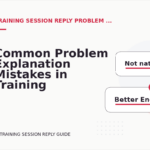
Common Mistakes in Problem Summaries
English learners often make these errors when explaining problems in training sessions. Avoid them.
Mistake 1: Being Too Vague
Wrong: “The thing is not working.”
Better: “The search function is not returning any results when I type a product code.”
Mistake 2: Blaming Without Evidence
Wrong: “You gave us the wrong file.”
Better: “The file named ‘Training_Data_v2’ contains columns that do not match the instructions. Could you confirm if this is the correct version?”
Mistake 3: Forgetting the Request
Wrong: “The video is buffering.”
Better: “The video for Lesson 3 is buffering constantly. Could you provide a downloadable version or check the server?”
Mistake 4: Using Overly Emotional Language
Wrong: “This is impossible! I can’t do anything!”
Better: “I am having difficulty completing this step. Could you explain it in a different way?”
Better Alternatives for Common Phrases
Replace weak phrases with clearer ones.
| Instead of saying… | Say this… |
|---|---|
| “It doesn’t work.” | “The [specific feature] does not respond when I click it.” |
| “I don’t understand.” | “I am unclear about the difference between Step 2 and Step 3.” |
| “There is a problem.” | “There is an error message that says [exact text].” |
| “Can you help?” | “Could you show me how to apply the filter in this report?” |
When to Use Each Alternative
- Use “does not respond” when a button or link is inactive.
- Use “I am unclear about” when instructions are confusing.
- Use “error message that says” when you see a system notification.
- Use “could you show me” when you need a demonstration, not just an answer.
Mini Practice: Write Your Own Problem Summary
Read each situation and write a one-sentence problem summary. Then check the suggested answer.
Question 1: You are in a training session about a new CRM tool. When you try to add a contact, the system says “Field cannot be empty” even though you filled in all fields.
Answer: “When I try to add a contact, the system says ‘Field cannot be empty’ even though all fields are filled. Can you check if there is a hidden required field?”
Question 2: You are watching a recorded training video. The audio cuts out at 5 minutes. You need the information for a quiz.
Answer: “The audio in the training video stops at 5 minutes. I need the information for the quiz. Is there a transcript or a corrected version?”
Question 3: You received a practice file, but it is in a format your computer cannot open.
Answer: “The practice file is in .pages format, which I cannot open on my Windows computer. Could you send it as a PDF or Word document?”
Question 4: You completed an exercise, but the system did not record your score.
Answer: “I completed the Module 3 exercise, but my score is not showing in the dashboard. Could you confirm if it was saved?”
FAQ: Problem Summaries in Training Session Replies
1. How long should my problem summary be?
Keep it to 2–4 sentences. Include the problem, impact, and request. Trainers appreciate brevity.
2. Should I always mention the impact?
Yes, unless the impact is obvious. For example, if the system crashes, the impact is clear. But if a file is missing, explain that you cannot complete the exercise without it.
3. Can I use bullet points in an email?
Yes, bullet points can make your summary easier to read. Use them when you have multiple issues or steps. Keep each bullet short.
4. What if I don’t know the exact error message?
Describe what you see as accurately as possible. For example: “A red box appeared at the top of the screen with text I could not read.” Then ask the trainer for guidance.
Putting It All Together: A Complete Example
Here is a full email reply using the principles from this guide.
Subject: Problem with Practice Exercise – Data Import Module
Body:
“Dear Trainer,
I am working on the data import exercise in Module 4. When I upload the sample CSV file, the system shows the error ‘Row 15: Invalid date format.’ I have checked the date column, and all entries follow the DD/MM/YYYY format. This error prevents me from completing the exercise. Could you please confirm the required date format or provide a corrected sample file?
Thank you for your help.”
This summary is specific, factual, polite, and includes a clear request. It saves the trainer time and shows you have already tried to solve the problem.
Final Tip for English Learners
Practice writing problem summaries for common training situations you encounter. Start with the exact error or issue, then add the impact, and finish with a polite request. Over time, this structure will become natural. For more examples and practice, explore the Training Session Reply Problem Explanations section on this site. You can also review Training Session Reply Starters for opening phrases that set a clear tone.
If you have further questions about writing replies, visit our FAQ page or contact us for support.


Comments are closed.